The desktop app for rclone and restic
Cloud transfer and backup that stays on your computer
Connect any cloud, then sync, transfer, mount, encrypt and back up files with a simple desktop GUI. No command line. No server relay.
The macOS download is for Apple Silicon (M1 or later). Using an Intel Mac? Download the Intel version
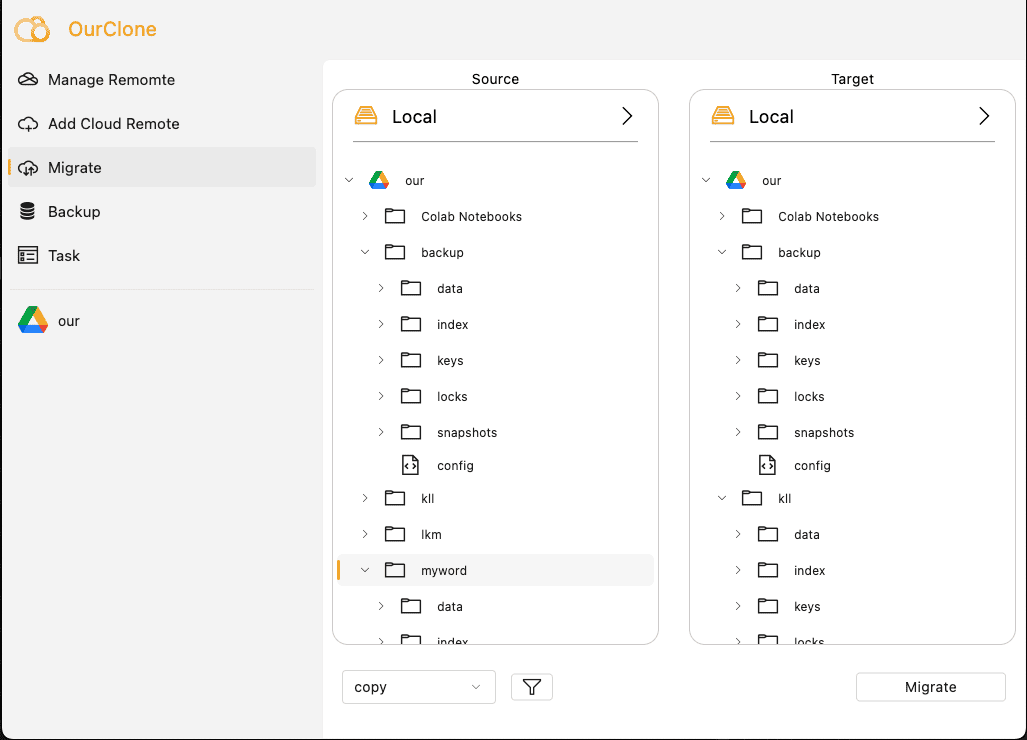
Local-first by design
Your data stays on your computer
OurClone is the local controller. Transfers, syncs and backups run on your Mac or Windows PC, so files do not pass through OurClone servers.
Want the cloud itself locked out too? The encrypted vault (Pro) encrypts file names and contents on your device, so your provider only ever stores ciphertext.
Learn more about local-first transfer Your Mac / Windows
Runs OurClone locally
OurClone
Local controller
Your Mac / Windows
Runs OurClone locally
OurClone
Local controller


 S3
S3
Choose your workflow
One app for every cloud job
Move between providers, keep folders aligned, manage files, mount remotes, encrypt data before it leaves your device, or protect local folders with encrypted snapshots.

Fast, local and visible. No files go through us.

Keep the destination matching the source, on a schedule.

Your password is the only key — the cloud only ever sees ciphertext.

Every upload and download tracked in the Task Center.

Open files from your own desktop apps.

Incremental snapshots with restore history.
iCloud on your Mac
Put files into iCloud without handing over your Apple ID
OurClone writes to the Photos library and the iCloud Drive folder on your Mac, and macOS uploads them with the account it is already signed in to. No Apple ID password, no verification codes.

macOS asks once for Photos access; iCloud Photos does the upload.
Pick iCloud Drive in the folder picker; macOS uploads the files.
Works with 100+ storage services
Connect the clouds you already use
Start with major cloud drives, object storage, WebDAV, SFTP and NAS, then manage them from one desktop app.
Cloud drives
 Google Drive
 Dropbox
 OneDrive
 Mega
Mega Proton Drive
 Box
BoxObject storage
 Amazon S3
 Backblaze B2
 Cloudflare R2
 Wasabi
 DigitalOcean Spaces
 IDrive e2
 Nextcloud
 ownCloud
Web migration tools
- Uploads go through external servers
- Long waits and rate limits
- Hard to see progress and errors
- Requires command line knowledge
OurClone desktop app
- Transfers run locally on your machine
- Uses your network for maximum speed
- Live task view with logs and retries
- Simple visual interface, no terminal needed
Ready to take control of your clouds?
Download OurClone free and start moving, syncing, mounting and backing up locally.
The macOS download is for Apple Silicon (M1 or later). Using an Intel Mac? Download the Intel version